A single phone on a tripod can put an event online. But anyone who has watched a two-hour gala or conference through one shaky, distant camera knows how quickly viewers leave. Multi-camera live streaming is different: several cameras, a director switching between them, clean audio and on-screen graphics, so the people watching at home feel like they are in the room.
This guide explains how a professional multi-camera live stream works, step by step, for galas, award nights, conferences, product launches and other business events in Houston. It is written from our own live productions at ZF Media Production, from studio podcasts to ballroom awards nights. (If you are planning a Nikkah, mosque or church stream for family, see our separate guide to Nikkah, mosque and church live streaming.)
Why one camera is not enough for a live event
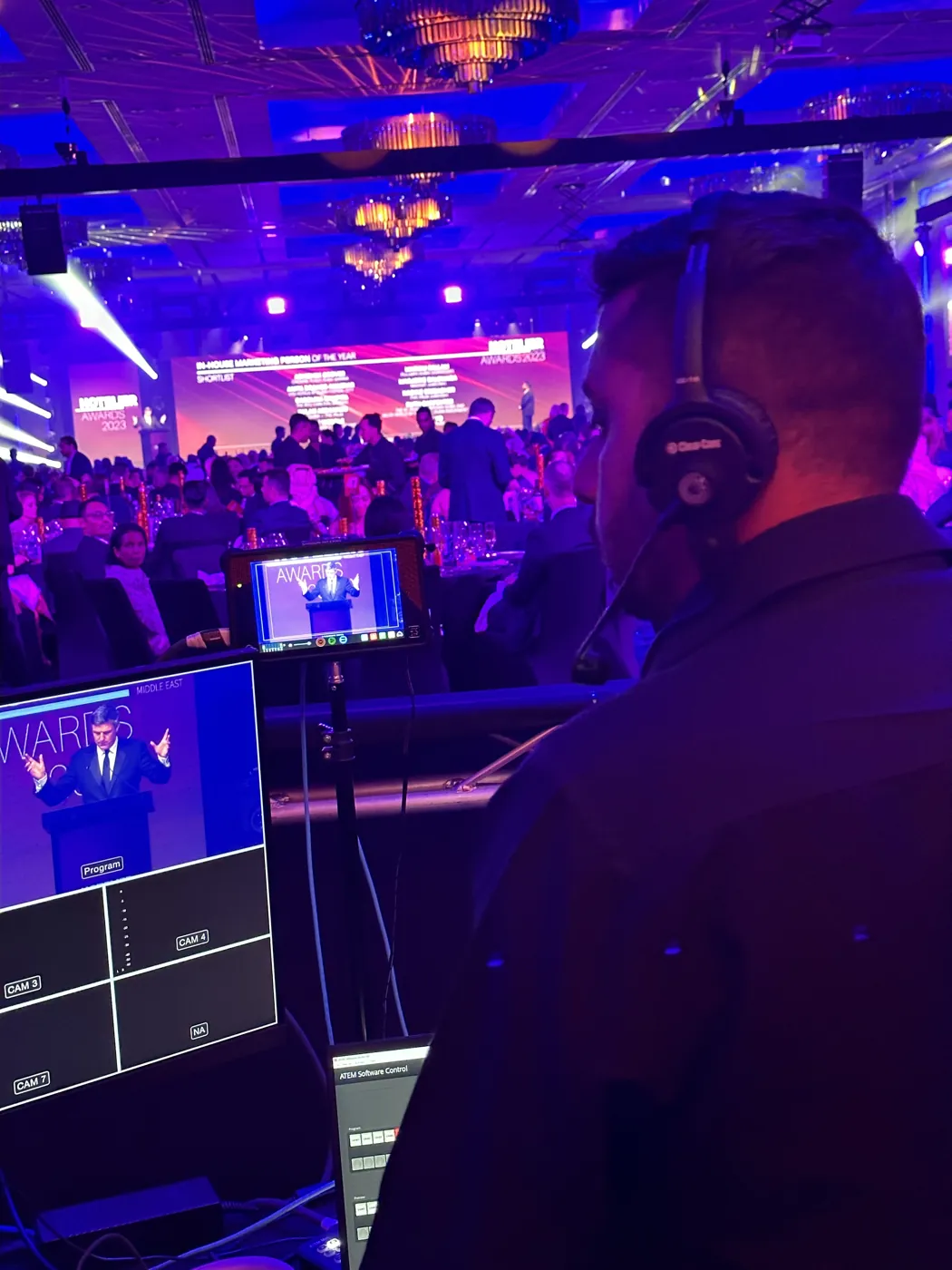
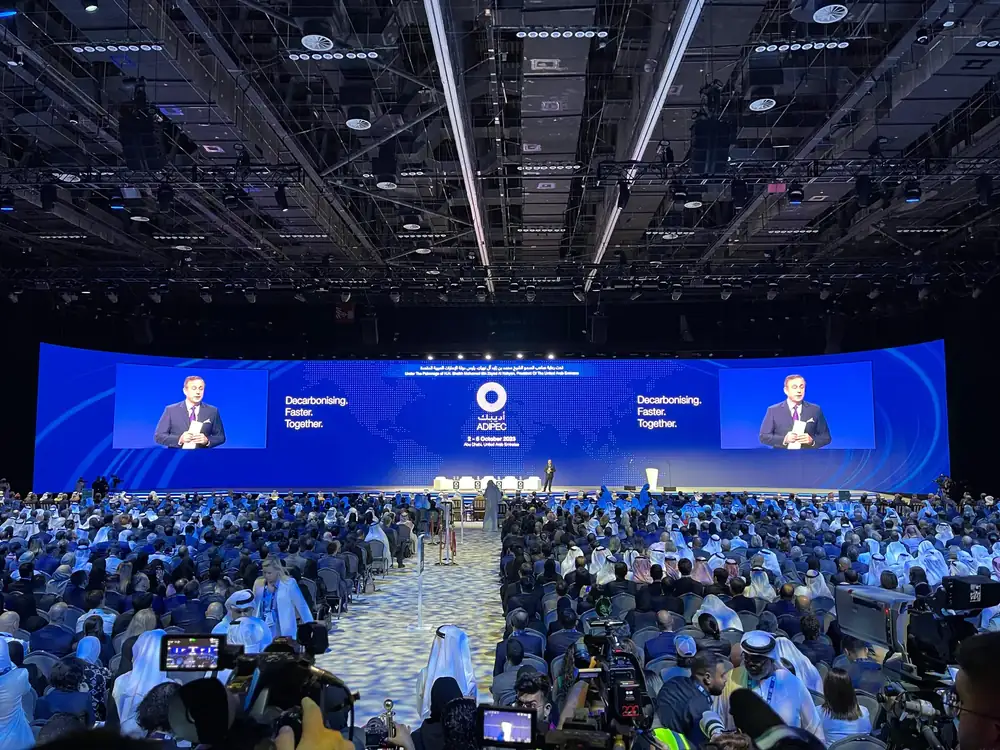
At a gala or conference, the action moves. A host speaks at the podium, an award winner walks up from the audience, a panel of four sits across the stage, a video plays on the big screen. One fixed camera can only show one of those, usually from too far away. A multi-camera setup lets the director show a close-up of the speaker, cut to the audience applauding, switch to the slides, and go wide for the full stage, just like television.
The result is a stream people actually watch, and a recording you can edit into highlights and post afterwards.
What a professional live stream setup includes
Cameras
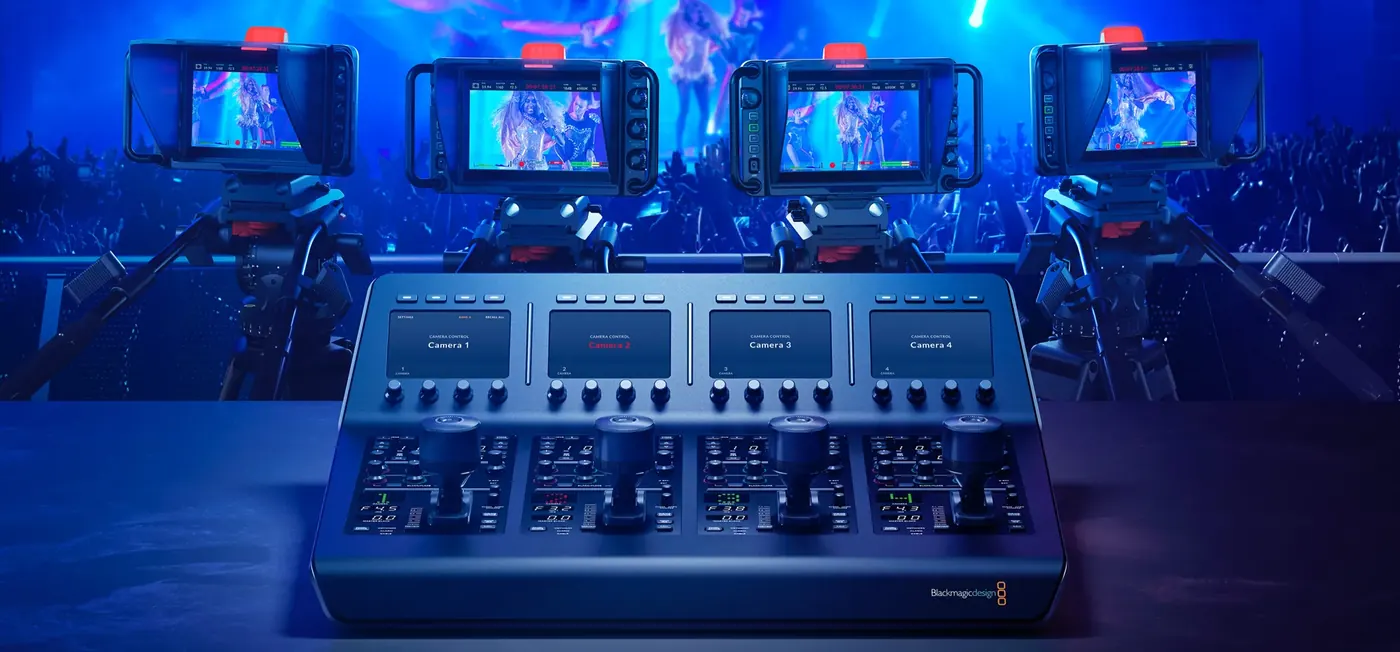
Most events use two to four cameras. A typical plan is a wide camera showing the whole stage, a tight camera on the podium or speaker, and a roaming or second angle for the audience, winners walking up and reactions. On the ballroom floor, a gimbal operator can move smoothly between tables to catch moments a fixed camera would miss.
The switcher and the director
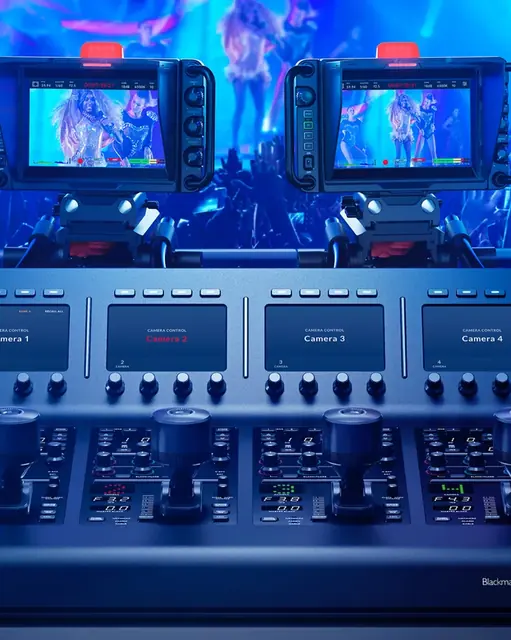
All cameras feed into a live production switcher, where a director chooses which camera goes live at each moment, adds transitions, and brings in slides, videos and graphics. On larger events the director talks to camera operators on a headset, calling the next shot before it is needed. This is the part that turns several camera feeds into one smooth program.
Audio
Viewers forgive a slightly soft picture; they do not forgive bad sound. The best source is a direct feed from the venue's sound desk, which carries every microphone on stage. We balance that feed live, add ambient microphones for applause and atmosphere, and monitor it on headphones throughout the event.
Graphics and slides
Lower-thirds with speaker names and titles, your logo, sponsor slides and pre-recorded videos can all be added live. Send them to your streaming team before the event so they can be tested on the switcher.
Internet and backup
A stream is only as good as its connection. We test the venue's wired or Wi-Fi connection before the event and bring our own dedicated 4G/5G bonded internet connection, so the stream does not depend on the venue Wi-Fi alone. The full program is also recorded locally at the same time, so you receive a clean recording even if the internet has a bad moment.
Where the stream goes
A professional stream can go to almost any platform: YouTube, Facebook, LinkedIn, Zoom or a private link for invited viewers only. Many companies stream to more than one platform at once, for example YouTube for the public and a private link for staff and partners. For hybrid events where remote attendees need to ask questions, Zoom or a similar platform lets them take part, and the questions can be read out on stage.
A timeline for planning your live stream
- Four to six weeks before: book your streaming team, confirm the venue, platforms and number of cameras.
- Two weeks before: share the run of show, speaker list, slides, videos and sponsor logos.
- One week before: confirm internet, power and table positions with the venue, and set up the stream link so you can share it with viewers.
- Event day: the team arrives early to set up, test every camera, microphone and graphic, and start a private test stream.
- After the event: you receive the full recording, and short highlight clips if you booked them.
What we need from the venue
- A table near the back or side of the room with a clear view of the stage
- Power outlets at the streaming table and camera positions
- An audio feed from the sound desk (the venue's AV team can usually provide this)
- A wired internet connection if available, in addition to our own bonded connection
- Time to set up and test before guests arrive
Beyond galas: studio shows, podcasts and outdoor events
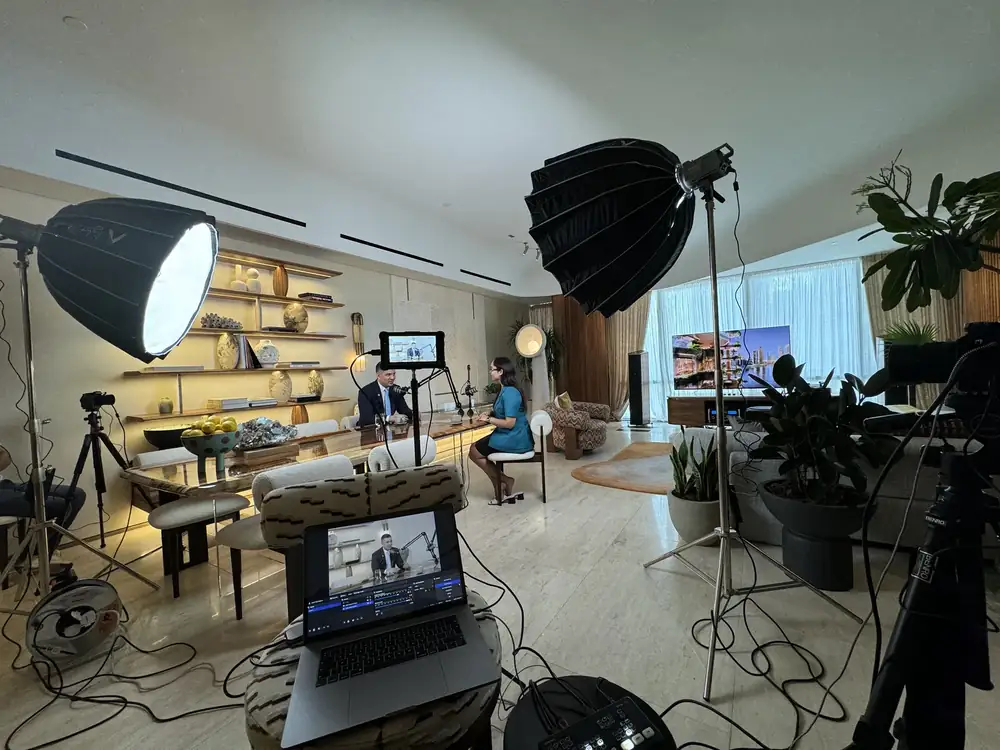
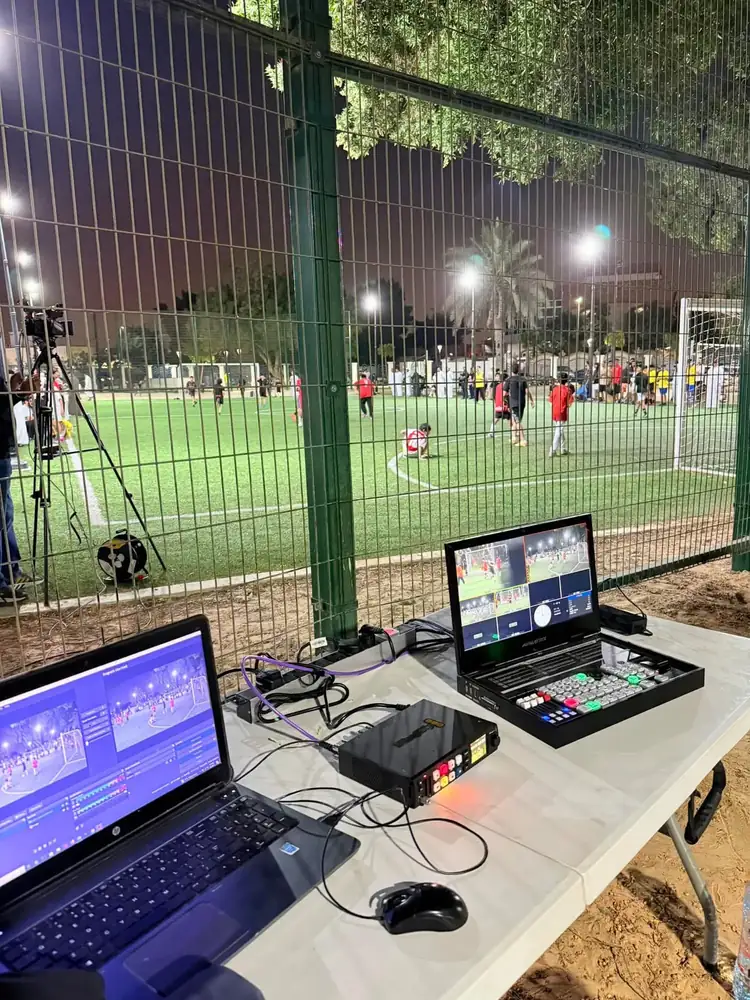
The same approach works for much more than ballroom events. We produce multi-camera podcasts and interview shows in studios and offices, with professional lighting and several angles, and stream them live or record them for later. We also stream outdoor events, sports and community gatherings, with the switcher and monitoring set up on site. You can watch clips from real productions, including a gala awards night, studio interviews and podcasts, on our live streaming page.
Common live streaming mistakes to avoid
- No audio feed from the sound desk. A camera microphone at the back of a ballroom picks up clinking glasses, not the speaker. Arrange a direct feed.
- Relying only on venue Wi-Fi. Hotel and hall Wi-Fi is shared with every guest. Use a wired line or a dedicated bonded connection.
- Starting the stream at the last minute. Start a private test stream well before guests arrive, and go public a few minutes before the program with a holding slide.
- Forgetting remote viewers. Welcome them from the stage, show the slides clearly and, for hybrid events, take their questions.
- No recording plan. Record locally as well as online, so you have a high-quality file for highlights even if the connection drops.
How much does multi-camera live streaming cost in Houston?
Our live streaming starts at $499 for a single-camera stream and $899 for a multi-camera stream. Larger corporate productions, such as galas with several camera operators, graphics and multiple platforms, are quoted based on the run of show. The main things that affect the price are the number of cameras and operators, the length of the event, graphics and slides, the number of platforms, and whether you want an edited highlight video afterwards.
Many clients combine the stream with photography and a highlight film from the same team. See our corporate photography page, or read our trade show and conference photography checklist.
Frequently asked questions
How many cameras do we need for a gala or conference?
Most events use two to four cameras: a wide shot of the stage, a close-up of the speaker, and a third angle for the audience and winners. We recommend the right number after seeing your run of show.
What if the venue internet is slow?
We test the connection before the event and bring our own dedicated 4G/5G bonded connection. The full program is also recorded locally, so you always get a clean recording.
Can you stream to YouTube and Zoom at the same time?
Yes. We can stream to YouTube, Facebook, LinkedIn, Zoom or a private link, and to more than one platform at once.
Do we get a recording after the event?
Yes. You receive the full recording after the event, and we can also edit short highlight clips for social media.
Can you add our logo, slides and speaker names on screen?
Yes. Send us your logo, slides, videos and speaker list before the event, and we add them live during the stream.
Planning a gala, conference or launch? Contact us or call or WhatsApp 832-400-4333 for a free quote.